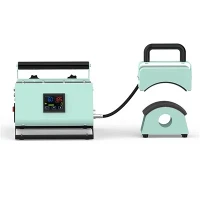
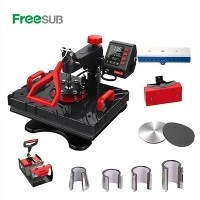
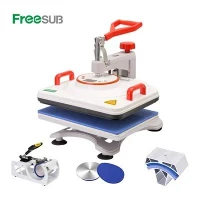
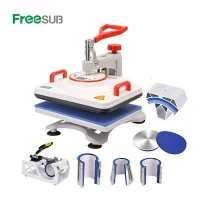
If you’ve ever spent hours designing the perfect custom mug only to pull it out of a sublimation press with splotchy, uneven ink, faded patches, or a design that only sticks in spots, you know how frustrating it is. As a supplier of Mug Sublimation Machine, I’ve worked with thousands of hobbyists, small business owners, and Etsy shop founders, and 9 times out of 10, the culprit behind those disappointing results isn’t a bad design or low-quality sublimation ink—it’s pressure. Most new sublimators focus on temperature and time, but pressure is the unsung hero of a flawless 11oz sublimated mug. Today, we’re breaking down exactly what ideal pressure for 11oz mug sublimation is, why it matters, and how to nail it to get consistent, long-lasting results every single time.
First, let’s get one key fact straight: 11oz mugs are not one-size-fits-all. Unlike larger mugs (15oz, 20oz), their slimmer, more compact surface requires precise pressure to ensure the sublimation transfer paper makes full, even contact across the entire curved surface. Too little pressure, and gaps form between the paper and mug, leaving the design incomplete. Too much pressure, and you can warp the mug’s shape, stretch the transfer paper unevenly, or even burn the sublimation ink into a messy, over-saturated patch. So what’s the sweet spot from years of testing and customer feedback? Most professional sublimation technologists land between 30 and 40 PSI (pounds per square inch) for standard 11oz ceramic mugs. But here’s the catch—PS isn’t the only way to measure pressure, and different press types will adjust how that number translates to actual contact on your mug.
Let’s talk about why that 30-40 PSI range works. Sublimation is a chemical process: solid sublimation ink turns directly into gas when heated, and that gas bonds with the porous ceramic of the mug. For that bond to happen evenly, every inch of the transfer paper needs to press firmly against the mug’s surface at the same force. If one spot is looser, the gas can’t penetrate the ceramic there, leaving a pale, faded area. For 11oz mugs specifically, their narrower circumference means you don’t need extreme pressure to cover the whole surface—overdoing it here often leads to unnecessary wear on your press and inconsistent results across batches. I remember a customer who ran 50 11oz mugs on a basic mug press at 50 PSI for weeks, complaining about warped mugs and half-finished designs. Once we adjusted to 35 PSI and recommended a better fit for their press, their defect rate dropped to almost zero.
Now, let’s clarify how to actually set that pressure, because not all presses work the same way. First, if you’re using a manual mug press—common among hobbyists—you’ll adjust the pressure by tightening or loosening the handle on the press. To test if you’ve hit the sweet spot, a simple trick works: place a piece of plain copy paper (just a standard 8.5x11 sheet) between the press’s silicone grip and an 11oz mug, close the press, and gently pull the paper out. It should leave subtle, even smudge marks all over the paper—no heavy streaks in one area, no faint spots in another. If you can pull the paper out easily, your pressure is too low. If it tears or leaves deep, dark marks, you’ve gone too high. This quick test takes 10 seconds and works for every manual press, no fancy tools needed.
If you’re stepping up to automatic or multi-function presses, like the [Cup Press for Sublimation] we supply, pressure settings might be labeled as a numerical value instead of a manual adjustment. For these presses, always follow the 30-40 PSI guideline, but double-check your press’s manual—some automatic models have slight calibrations for 11oz vs. 15oz mugs. I’d also recommend our [Mug press for sublimation] line for small business owners who want consistent pressure across dozens of mugs per hour—these presses have calibrated pressure dials that take the guesswork out of manual adjustments. For example, our double-station presses, like the [Double Station Mug Heat Press], let you run two 11oz mugs at once, with individual pressure settings for each station, so if one mug has a slightly different circumference, you can tweak it without wasting an entire batch’s worth of time.
Wait a second—does ideal pressure change if you’re using a mug with a special coating, or a specialty mug? That’s a question I get all the time from customers who print on magic mugs or coated stainless steel mugs, not just standard ceramic. For [Magic mug printing machine] users, the ideal pressure stays in the same 30-40 PSI range, but you’ll need to adjust the temperature slightly (reducing by 5-10 degrees Fahrenheit) since specialty coatings react a little differently. For coated stainless steel 11oz mugs, the pressure can be a touch lower—around 25-35 PSI—because stainless steel is less porous than ceramic, and too much pressure can cause the transfer paper to slip during heating, leading to blurry designs. I always tell new users of specialty mugs to run a test print first: use a spare mug, adjust pressure, time, and temperature, and inspect the design before committing to a full order.
A common mistake I see is that hobbyists, especially those who print on mugs occasionally, skip calibrating their press’s pressure regularly. Over time, the silicone grips on your press can wear down, or the pressure adjustment spring can loosen, so even if you set it to 35 PSI last month, it might be at 40 PSI this month. I recommend checking the paper test every 20-30 mugs, or before starting a large order. For anyone just getting started, our [Sublimation mug press for sale] line includes a quick calibration guide and video tutorials, so you can get set up correctly without guessing.
Let’s also address a myth I hear all the time: “higher pressure means more vivid designs.” That’s not true, especially for 11oz mugs. Too much pressure compresses the transfer paper too tightly against the mug, blocking the sublimation ink gas from expanding evenly into the ceramic. The result is a design that looks dark in spots and faint in others, rather than the smooth, vibrant color you want. I’ve tested this myself: when we ran a batch of 11oz mugs at 50 PSI, the red ink on the design came out splotchy, while at 35 PSI, it was a consistent, bright red across the entire mug. Another test at 25 PSI gave us faded, light designs, confirming that 30-40 PSI is exactly where the magic happens for 11oz mugs.
What if you’re using a press that doesn’t have a PSI gauge? A lot of entry-level mug presses for home use don’t, which is why the paper test is your best friend. If your press is one of these, think of the pressure setting like tightening a screw: you want it tight enough that the paper doesn’t move when you pull it, but not so tight that the paper tears or leaves deep indentations. For 11oz mugs specifically, start with a medium setting—about halfway between “loose” and “extra tight”—then run that paper test. If it’s too loose, turn the pressure adjustment knob a quarter turn tighter and test again; if it’s too tight, a quarter turn looser. Most people get the hang of it after 3-4 tests, and you’ll have that consistent pressure down every time.


Now, let’s tie this back to why this matters for your business, if you’re running a mug sublimation shop. Consistency is everything when it comes to custom mugs, especially for repeat customers like local cafes, wedding planners, or small online retailers. If a customer orders 50 11oz mugs for their wedding favors, and half of them have faded patches because of uneven pressure, they won’t come back. By nailing the ideal 30-40 PSI pressure for 11oz mugs, you can cut your defect rate, reduce waste from ruined mugs and transfers, and deliver products that your customers will love enough to order again. I’ve had customers who switched to our calibrated presses and proper pressure settings go from turning away 10 mugs per batch to zero, increasing their monthly profit by hundreds of dollars.
If you’re in the market for a mug sublimation machine that makes setting that ideal pressure easy, we offer a range of options tailored to every need—from entry-level presses for hobbyists to commercial-grade presses for high-volume orders. Whether you’re just starting out with a home setup or expanding your business to take custom mug orders, our team can help you find the right machine, plus walk you through pressure calibration and test printing to make sure you get perfect results on your 11oz mugs. Don’t let bad pressure ruin your next mug order—reach out to us to learn more about our presses and get tips for mastering your sublimation process.
References:
- Sublimation Technical Guide, Sublimation Industry Association, 2022
- Testing Pressure Variables for Mug Sublimation, Custom Print Business Journal, Volume 14, Issue 2, 2023
- Heat Press Calibration: Best Practices for Ceramic Substrates, American Heat Press Association, 2021
- Specialty Mug Sublimation Techniques, Small Business Print Workshop, 2022