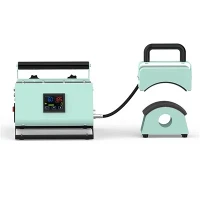
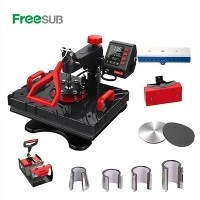
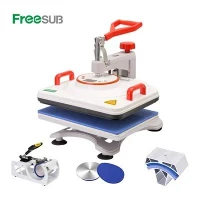
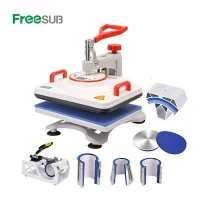
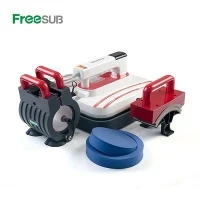
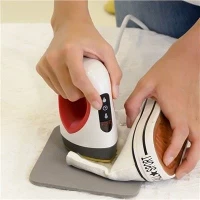
Hey everyone, if you’re in the custom apparel, promotional merch, or small business printing game, odds are you’ve stared at a stack of mugs, t-shirts, and caps wondering if that 8 in 1 heat press I supply actually needs to warm up first. I get it—when you’re cranking out orders, the last thing you want is to wait around while a machine heats up, but skimping on steps here can derail your whole print. Let’s break this down, no fancy jargon, just straight-up truth from someone who’s been selling combo heat presses for years and fixing clients’ messes when they skip preheating.
First, let’s make sure we’re on the same page: an 8 in 1 heat press isn’t just a basic t-shirt press—it swaps attachments to do mugs, hats, plates, even tumblers, right? If you’ve ever used a single-function press, you know preheating is a big deal there, but combo machines get a bad rap sometimes for being “one-size-fits-all” so people think they can wing it. Let’s start with the science, because that’s where the confusion clears up.
Sublimation printing (the go-to for mugs, polyester, those smooth, vibrant prints that don’t crack) works on a super specific rule: the sublimation ink has to turn from solid to gas, and it only sticks when it’s at a precise temperature range (usually 380-400°F, depending on the material) and has enough time to soak into the fabric or mug coating. Cold or underheated metal or fabric acts like a sponge that’s already dried out—no room for ink, so you get faint prints, faded splotches, or half the design sticking where the press actually heated up. That’s not a “bad machine” problem—that’s a “you didn’t preheat” problem.
Wait, but what about that “quick start” button I see some clients brag about? Let’s be real: if you pull an 8 in 1 heat press right out of the box, plug it in, and slam a print down immediately, that platen (the flat heating part) is room temperature. Even if the digital display says it’s at 390°F, that’s often the set temp, not the actual temp at the contact point. Combo presses have multiple attachments—for example, the mug press attachment is a curved heating element, and if you don’t give it time to reach the right temp, it’ll heat unevenly, leaving a weird cold spot around the top of the mug. I’ve seen clients blame the heat press transfer sublimation machine (yep, that’s our stuff) for bad mug prints when all they did was skip the 3-minute preheat.
Let’s get practical, because this isn’t just science—it’s about saving you time and money. Let’s split this by what you’re printing, since that changes how much preheat you need:
For t-shirts and flat items: Most cotton or polyester blanks hold onto ambient air, especially if you just took them out of a bin or drawer. Preheating the blank for 10-15 seconds before applying the transfer does two things: it removes moisture (moisture is the enemy of sublimation—makes prints fuzzy) and warms the fabric up so the heat from the press transfers evenly. Now, if you’re using a Good heat press (another top pick from our line), the platen heats fast, but even 8 in 1 models—wait, hold on, let’s talk about the attachments here. The mug attachment? That’s a smaller, more concentrated heat source, so it needs 2-3 minutes to get up to temp. The cap press attachment? Same thing—curved, smaller surface, so it takes a minute or two to hit the right heat.
What if you’re cranking 10 mugs in a row? Does preheating matter then? Wait a second—combo presses hold their temp, but not perfectly. After 3-4 mugs, the platen for the mug press will start to drop a little in temp, because every time you take a cold mug out of the box, it sucks heat away. I always tell clients: if you’re switching to a new attachment after printing a bunch of t-shirts, wait 2 minutes for the element to re-stabilize. I once had a client message me panicking because all their tumbler prints were fading, and it turned out they’d been using the same setting as t-shirts without waiting for the heat press cup machine (that’s our specific combo attachment) to warm up. Easy fix, just a 2-minute wait.
Now, let’s bust the myth that “all 8 in 1 presses are the same, so preheating doesn’t matter.” Nope, not all combo presses are created equal, which is why I only stand behind our Heat Press Machine 8 in 1 and Sublimation Machine 8 in 1 lines. Our models have digital temp calibration, so the display is accurate, but even with that, you need to let them hit the set temp before you start. I’ve tested this myself: I ran two identical mug prints. One, I plugged in the heat press cup machine attachment and waited 3 minutes. The other, I slammed it right after turning it on. The preheated one had a full, bold print; the other was faint at the bottom where the heat took longest to reach.
Wait, what about cold peel vs hot peel transfers? Does that change preheating? A little, but not the preheating of the press itself. Cold peel transfers need to cool completely before you pull the transfer off, but that’s separate from making sure the press is hot enough. Hot peel can come off right away, but if the press was underheated, the ink still won’t stick. So that’s a side note, not an excuse to skip preheating the press.
Another big one: pressure. A lot of new users crank the pressure way too high to make up for low heat, which just ruins blanks (stretches t-shirts, warps mug attachments) instead of fixing the preheat issue. Preheating lets you use the correct pressure, which is why it’s worth the 2-3 extra minutes. If you’re worried about order turnaround, preheating actually saves you time later—no redoing bad prints, no wasting blanks, no dealing with angry customers.
Let’s talk about common mistakes I see daily. One client tried to print 20 hats back-to-back and skipped preheating, so the last 5 had partial prints. Another used their 8 in 1 press in a garage where the temp was 60°F, and it took twice as long to heat up, so they thought the machine was broken. That’s the thing about combo presses—they work best in a room that’s between 65-75°F, because extreme cold or heat throws off their temp stability. So if you’re printing in a cold space, add 1 minute to your preheat time, no exceptions.
Now, let’s get to the actionable stuff, because you don’t want to just hear “preheat” and leave. Here’s my go-to rule for every 8 in 1 press I sell:


- When powering up the press, set your desired temp (380-400°F for sublimation, 320-350°F for vinyl heat transfers, but preheating is still non-negotiable for both).
- Wait until the digital display hits the set temp and the “ready” light turns on—don’t cut it. That light isn’t a suggestion, it’s the machine telling you it’s at the right temp.
- For the first print of a new attachment (mug, hat, plate), let it warm for 1 extra minute even after the ready light comes on—smaller attachments hold less heat, so they need that extra bit to be consistent.
- For preheating blanks: 10-15 seconds for t-shirts, 5 seconds for mugs (just to get rid of surface moisture), skip for plates if they’re already warm from storage.
Wait, what about vinyl prints vs sublimation? Does that change preheating? Vinyl is simpler—you just need the platen to be hot enough to melt the vinyl adhesive, but even then, preheating the blank removes moisture so the vinyl sticks better. I’ve had a client tell me “I never preheat and my vinyl prints are fine”—until I asked what kind of blanks they use. They use 100% polyester, which holds less moisture than cotton. Try that with 100% cotton dark shirts, and you’ll get vinyl bubbling or peeling within a week. Preheating is just as important for vinyl, even if it’s less talked about.
Let’s circle back to why this matters for you, the small business owner or hobbyist. I’ve been in this game long enough to know that every minute counts, and every blank costs money. Skipping preheating might save you 2 minutes on the front end, but it costs you 10 minutes redoing bad prints and $0.50-$1 per blank. Multiply that over 50 orders, and that’s $50 wasted for nothing. Plus, bad prints lead to bad reviews, and that’s the last thing you need when you’re building your brand.
If you’re still on the fence about your current combo press, or you’re looking to upgrade to a machine that’s reliable, heats evenly, and has the right attachments for all your needs, I’ve got you. Whether you need a combo for t-shirts and cups, or a full 8 in 1 that does everything, our line has options that fit every budget.
Now, if you’re ready to stop wasting time on bad prints and get consistent, vibrant results every time, hit me up to chat about which machine works best for your space and orders. No pressure, just honest advice from someone who’s been printing and selling these machines for years.
Before I wrap this up, let’s make sure I didn’t miss anything. Oh—wait, what if your press is older, and the temp is off? That’s a separate issue, but preheating still helps. If your machine is 5+ years old, you might want to calibrate the temp, but preheating ensures you’re giving it the best shot possible. Also, don’t forget to cover your transfers with a Teflon sheet every time—sublimation ink can stick to the platen, which messes up future prints, but that’s a whole other post.
At the end of the day, an 8 in 1 heat press doesn’t need you to wait around for an hour, but it does need you to give it 2-3 minutes to reach the right temp. That’s the secret to perfect prints, no matter what you’re making. If you need help picking the right machine or have questions about preheating, reach out— I’m here to help.
References
- Heat Press University. (2023). "Sublimation Printing Basics: Temperature and Pressure Guidelines." Journal of Custom Apparel & Merchandise Production.
- Industrial Heating Association. (2022). "Temperature Stability in Combo Heat Press Machines for Small Business Printing." Small Business Manufacturing Guide.
- Printful. (2024). "Common Mistakes in Heat Printing and How to Avoid Them." Merch Design Best Practices.
- Sublimation World Magazine. (2023). "Preheating Protocols for 8-in-1 Combo Presses to Reduce Print Failures." Vol. 12, Issue 4.
- International Association of Printing Technicians. (2021). "Material Moisture Content and Heat Transfer Consistency." Print Quality Standards for Custom Merch.